


SketchUp Pro Retail gives interior designers and store planners the...

Photoreal Materials In SketchUp 2026
Tell a richer design story with access to an expanding library of Photoreal Materials in SketchUp 2026. These materials add depth and realism by accurately conveying texture and simulating how real-world materials absorb and reflect light.
Unlike flat image textures, Photoreal Materials include layered texture maps that create realistic effects such as shine, roughness, bump, and metalness.
Top tip: Materials with a 3D cube thumbnail indicate Photoreal Materials.
From one-click, drag-and-drop material ‘painting’ to advanced settings and the ability to create your own Photoreal Materials, SketchUp 2026 can be your one-stop toolkit for stylised visuals, photorealistic conceptual design or a gateway to advanced visualisation workflows. Get started with the default Photoreal Material libraries and access hundreds more materials in 3D Warehouse.
In addition to accessing all-new Photoreal Materials, take your material game further by creating yours with Generate Textures. In one click, use this new generative AI capability to sample an image or classic material and generate new Photoreal Materials. Generate Textures can also be used to create seamless, tileable SketchUp materials with less effort. SketchUp models have never looked better.
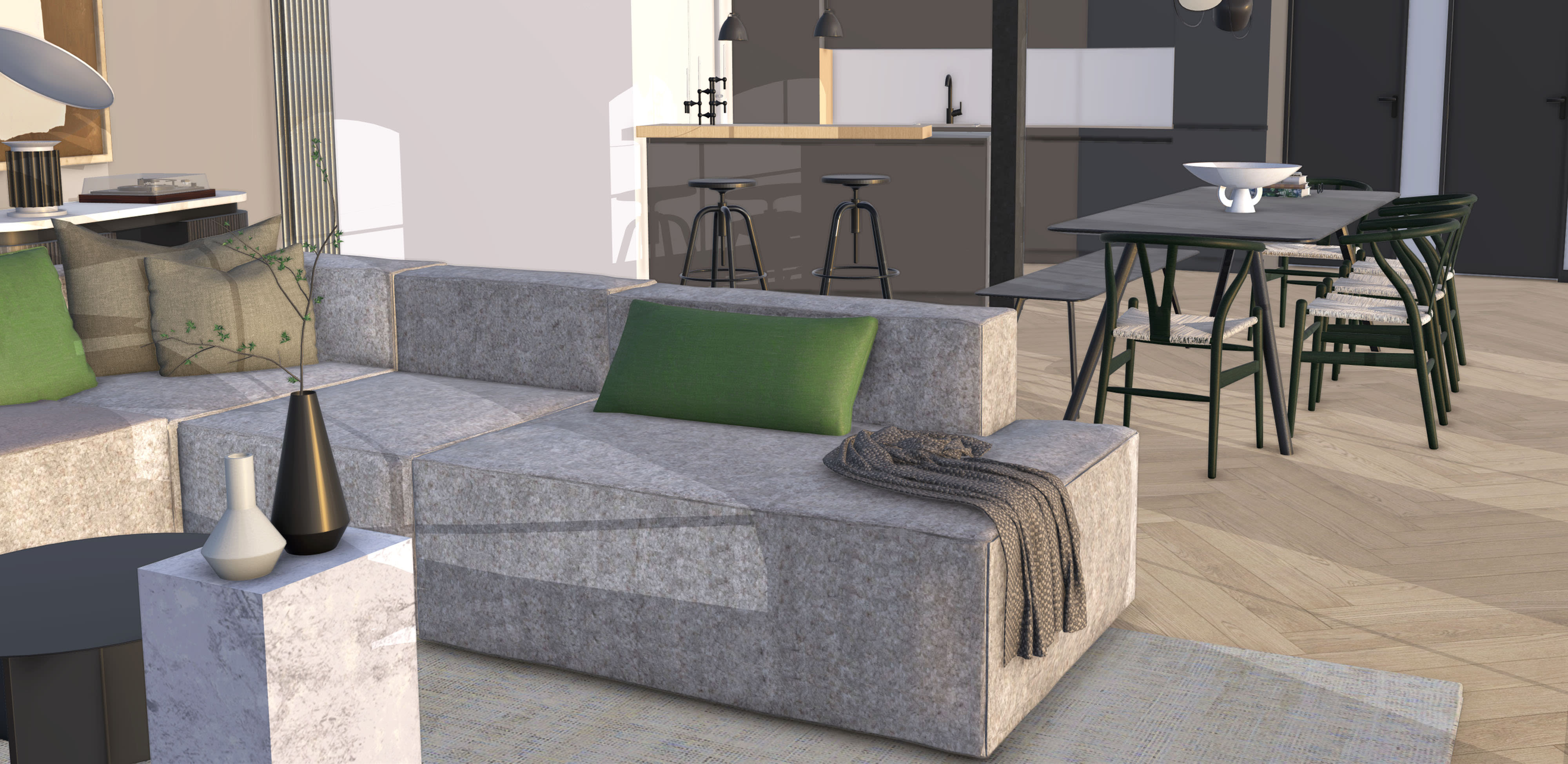 Interior view of a lounge and dining space with Photoreal Materials adding texture and an Environment active as the light source to show true-to-life materiality.
Environments
Set the mood and atmosphere of your scenes with realistic environmental lighting. Environments are 360-degree HDR or EXR image files that act as both a background (skydome) and a dynamic light source that interacts with Photoreal Materials.
In SketchUp 2026, Environments remain essential for accurately representing material behaviour. Using the Environments panel, you can toggle the skydome on or off and adjust exposure, rotation, and reflection intensity. A growing collection of Environments is also available through 3D Warehouse. Check out the 3D Warehouse for a library of environments.
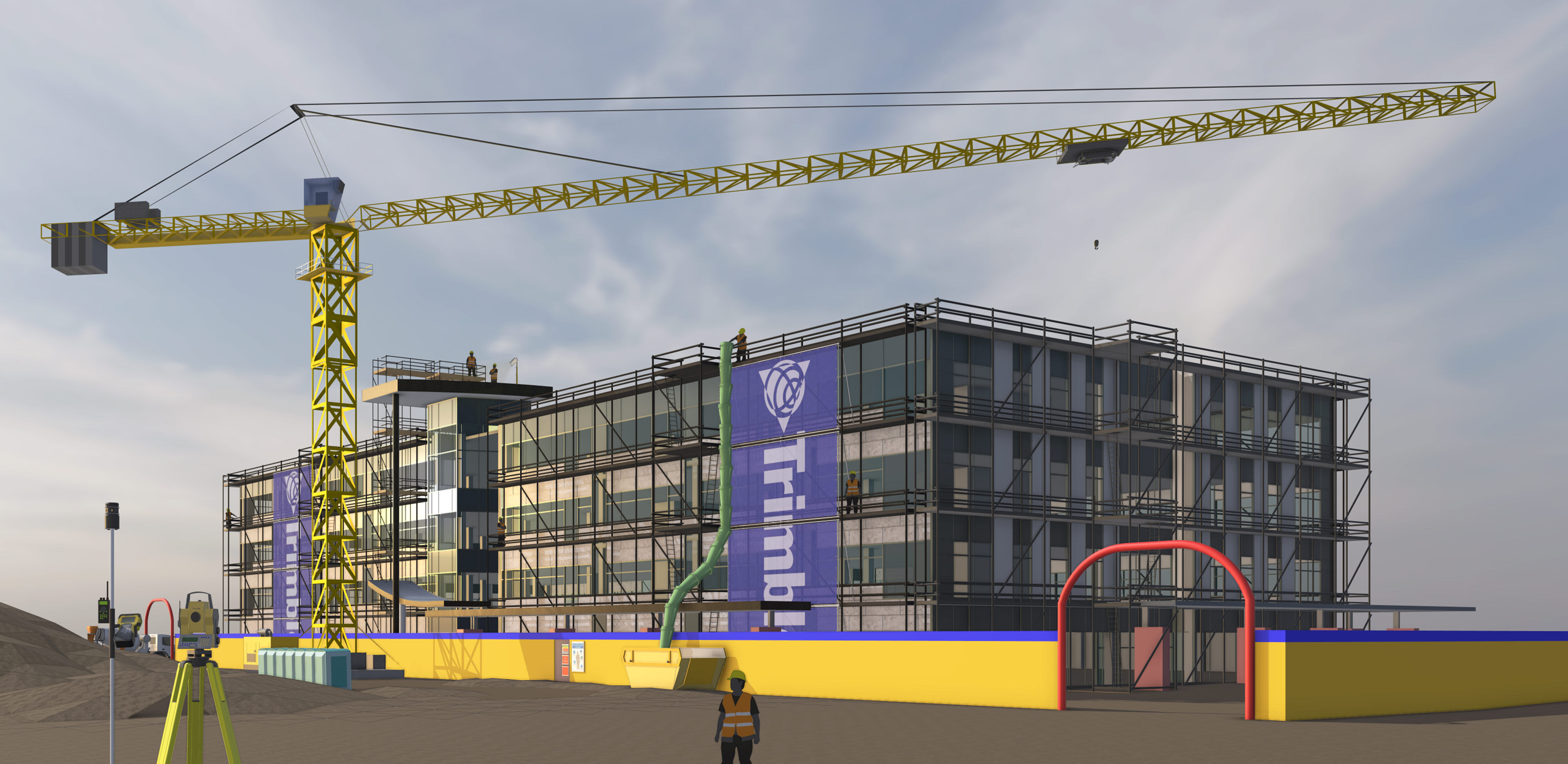 A Revit model imported into SketchUp for construction phasing analysis; Photoreal Materials and an Environment are active, offering a detailed understanding of site conditions in the model.
Seamless data management with interoperability updates
Move in and out of SketchUp confidently, knowing your data will be preserved thanks to our latest IFC support improvements for Pro subscribers. With more consistency in data round-trips and predictable file import and export, you can keep your building information intact and minimise the risk of manual rework. Highlights include improvements to IFC class recognition, version preservation, geometry optimization, and new dictionaries for components. Check out the release notes for more details.
If you’re a Studio subscriber, Revit Importer UI updates offer more control — within SketchUp — over what Revit model elements you bring in. Leverage evolving interoperability with Revit and IFC files for streamlined design workflows, improved collaboration, and greater accuracy in project execution.
“The IFC import feature in the new SketchUp version is incredible; it has greatly improved the coordination of different project models with the architectural design. Plus, the new material editor and HDRI styles in SketchUp 2025 open up countless possibilities for the visual representation of projects. We are truly excited about these updates!”
Lucas Grolla, Architect & Owner, Grolla Arquitetura
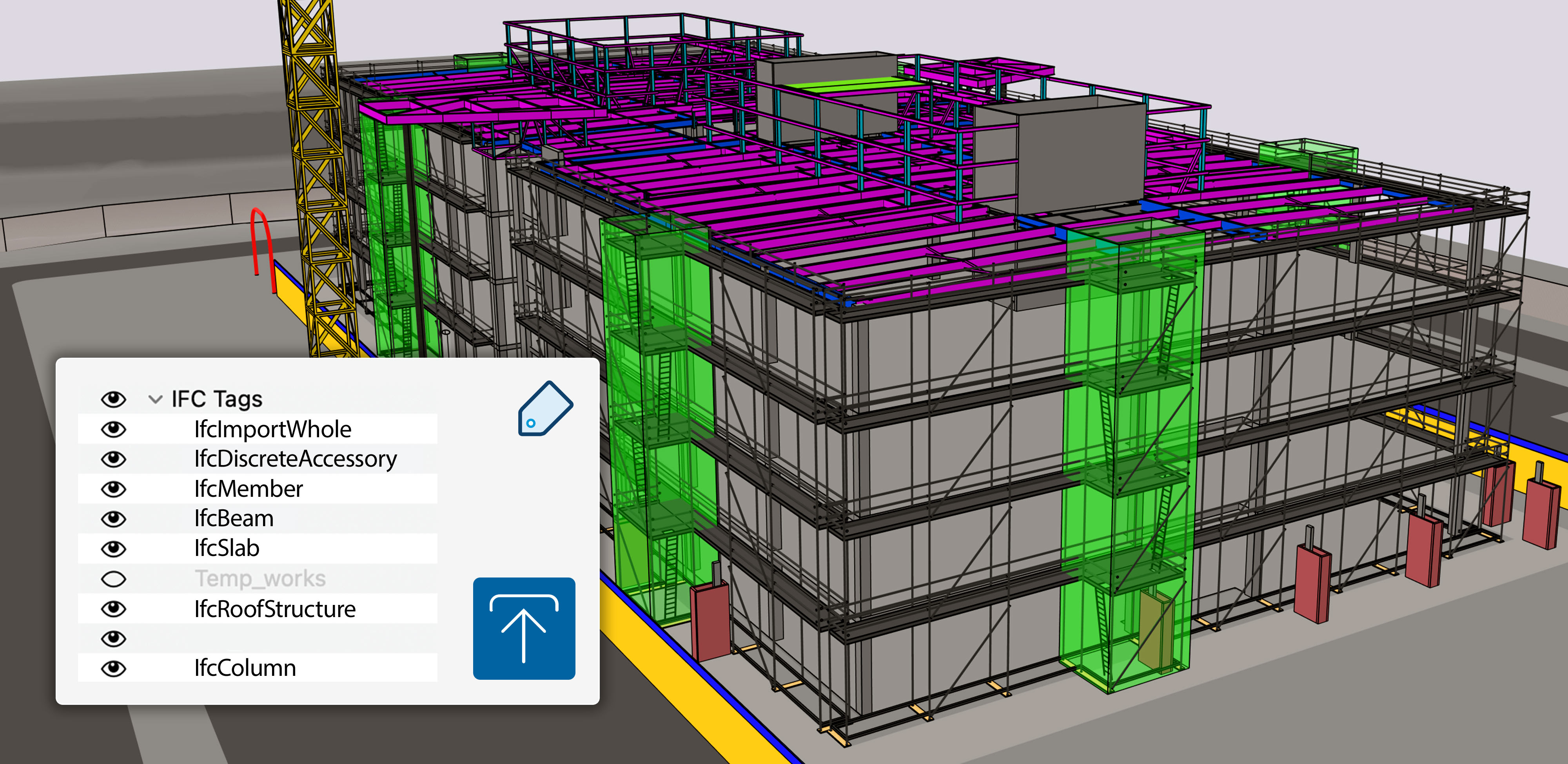 An IFC file imported into SketchUp with IFC classes translated to SketchUp tags.
Curated subscriber content
It’s easier than ever to access the high-quality content you need — introducing the SketchUp Content Library in 3D Warehouse. Kick-start your project with all-new collections of configurable models, Photoreal Materials, and Environments developed and curated to support our most popular workflows. Check-in for regular content releases, updates, and upgrades.
Subscribers can expect regular updates, new collections, and improved assets to help kick-start projects faster.
Live Components — now fully integrated
Add rich context and iterate on detailed designs faster than ever before. Pre-built configurable objects, known as Live Components, are not new but are officially graduating from SketchUp [LABS]. Subscribers can configure parameters like size, type, and material to create customised objects in a snap — access 200+ new and refreshed components via 3D Warehouse as a full production feature in 2026.
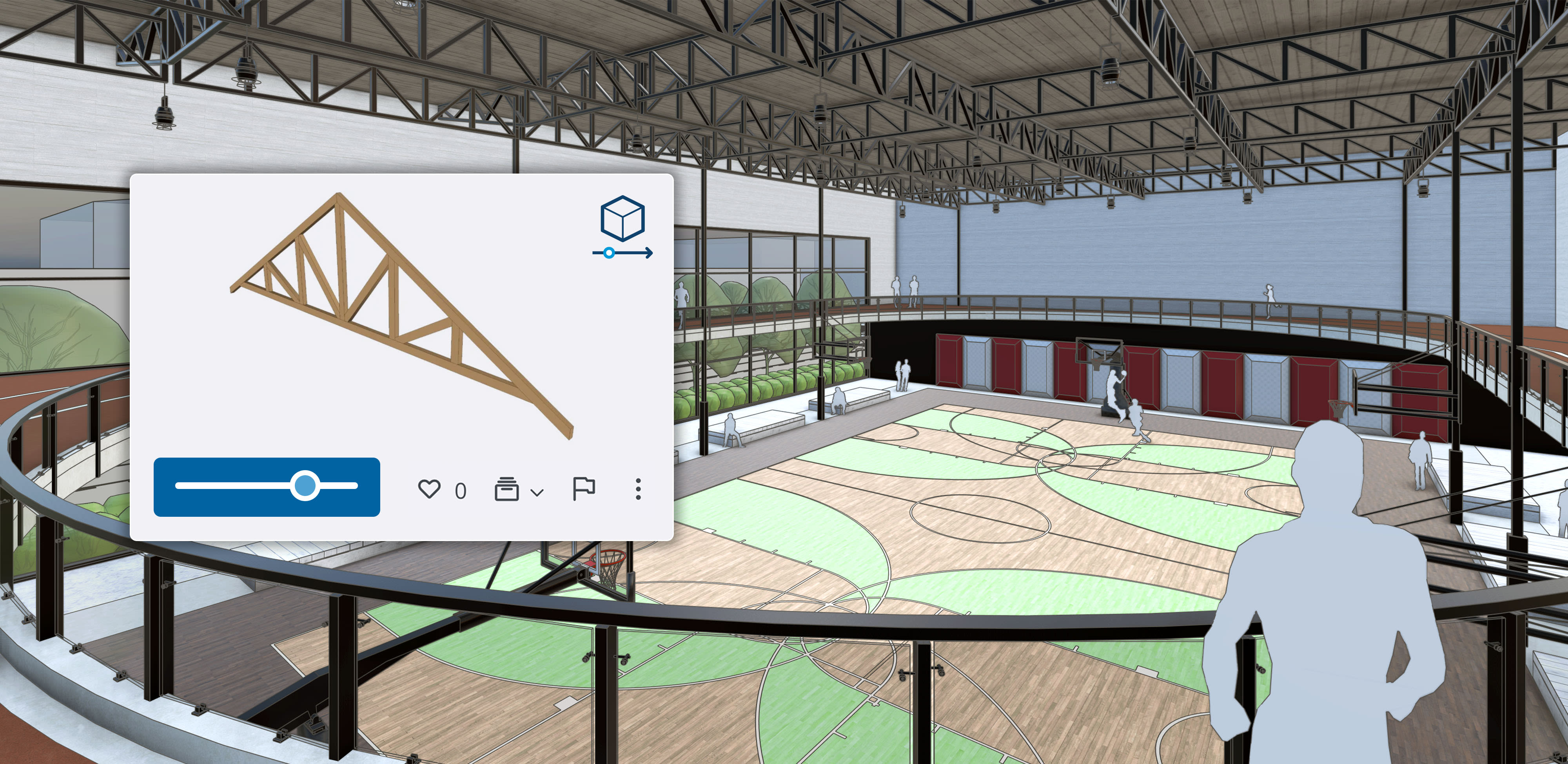 Photoreal Materials bring the basketball court and running track to life in SketchUp, and the menu shows a possible configuration of a Live Component roof truss.
Improvements in LayOut
LayOut in SketchUp 2026 continues to feel more intuitive and aligned with SketchUp’s modelling experience. Core tools such as Move, Scale, and Rotate now behave more consistently between 3D and 2D environments.
LayOut viewports also display Photoreal Materials, Environments, and Ambient Occlusion, ensuring visual continuity from concept design through to construction documentation.
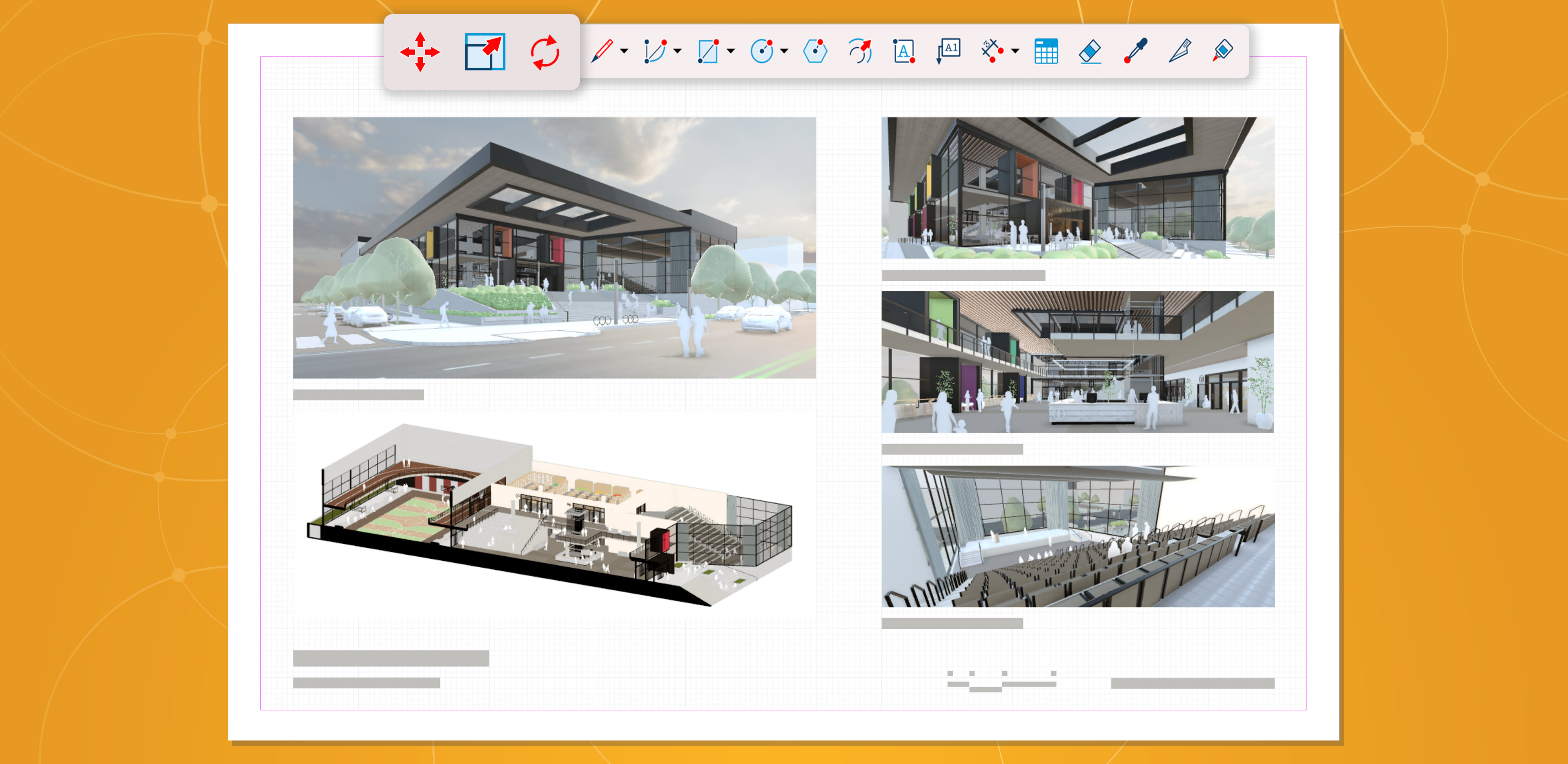 New visualisation features translate to 2D documentation in LayOut. It also highlights toolbar updates, showing standalone Move, Scale, and Rotate tool icons (left to right).

How SketchUp Enhances Retail Display Design by Empowering Visual Merchandisers
SketchUp is transforming retail display design by giving visual merchandisers...

Transforming Retail Spaces: How Store Planners Can Benefit from SketchUp
Transforming Retail Spaces: How Store Planners Can Benefit from SketchUp...